








Everything your family needs on game day
Every feature below ships with the same promise: no ads, no data harvesting, invitation-only privacy.
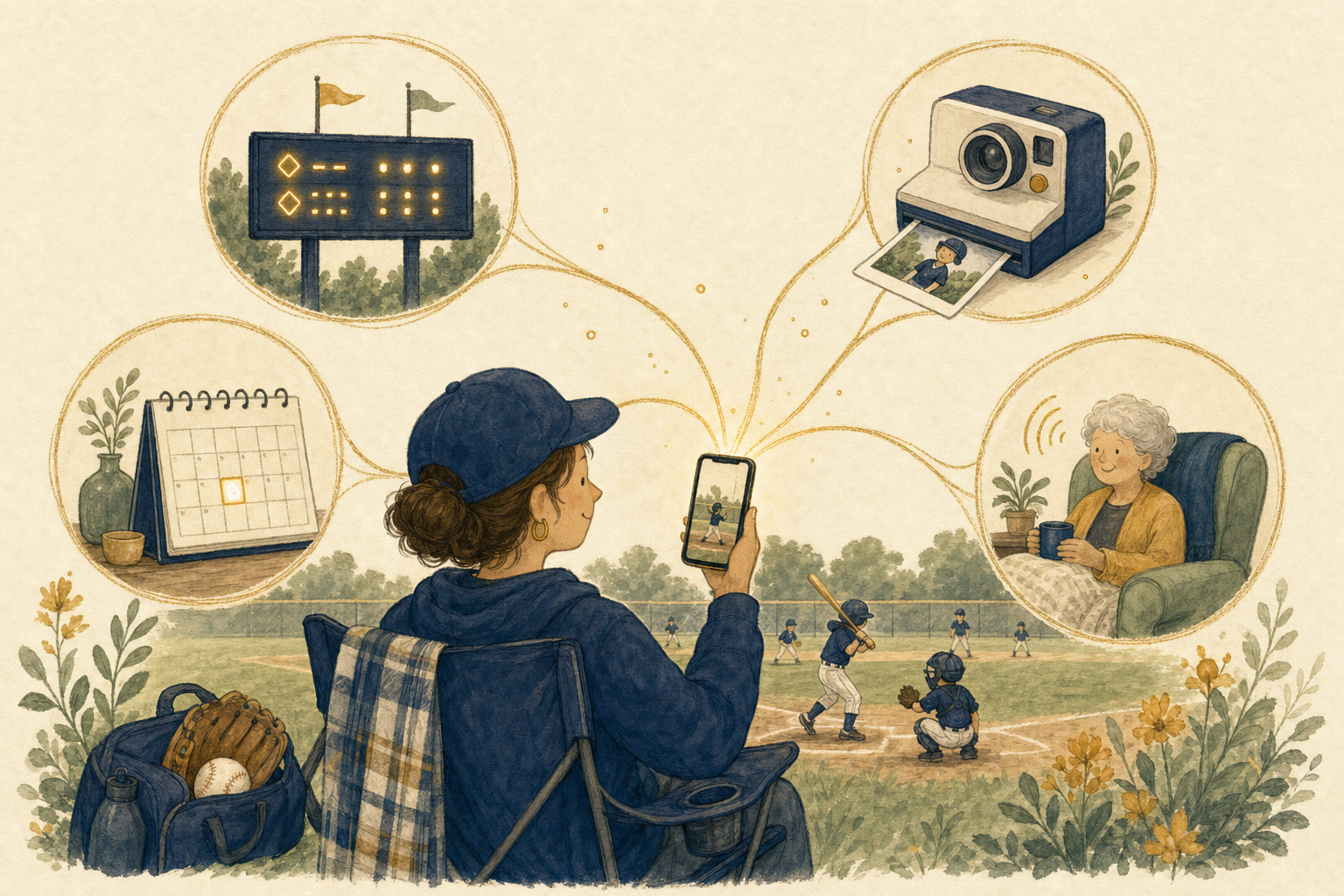
Everything you need for game day
From live scores to instant photo sharing, everything your family needs happens automatically
Live scoring
Real-time game updates and athlete stats sent to everyone automatically
Instant photo and video sharing
Capture photos/videos during the game—everyone gets them instantly
Game schedule
Game details sent to everyone automatically—zero group text chaos
Calendar sync
Follow a game and it appears on your calendar automatically. Game time changes? Your Google, Android, Outlook, or Apple calendar updates automatically.




Collaborative capture
Multiple family members can contribute photos/videos—everyone benefits from multiple perspectives
Built-in navigation
Get directions to every game with location notes—know exactly which field/gym/parking lot
Family chat
Stay connected during games with your whole fan club
Automatic organization
All photos, videos, scores, and stats organized by game—forever
Your child is the star
Just your circle celebrating your kid
Private to your circle
Each family creates their own private circle
Works without signal
Rural fields, packed gyms, concrete stadiums—everything saves locally and syncs when you're back online
Also Included
Available Scoreboards
Track games for multiple sports with dedicated scoreboards
SocialScoreKeeper is available worldwide on the Apple App Store and Google Play Store. The app is currently available in English and Spanish, with Canadian French coming soon.
One bar of signal? No problem.
Rural fields. Packed gyms. Concrete stadiums. Game day doesn't wait for WiFi—and neither does SocialScoreKeeper.
Instant launch
Open the app and see your data immediately—no loading screens, no waiting for the server. Yesterday's scores and photos are already there.
Nothing ever lost
Every score update, every photo, every video saves to your device first. If the network drops mid-play, it's queued and delivered automatically when connection returns.
No error messages
No "connection lost" popups. No "try again later." The app works the same whether you have full signal or none. You won't even notice the difference.
Built for where you actually play
Rural fields
No towers nearby? No problem. Score and capture everything offline.
Packed gyms
Metal buildings and hundreds of phones kill signal. Your app keeps working.
Concrete stadiums
Thick walls and crowded networks? Everything syncs when you walk out.
Remote locations
Cross-country courses, mountain trails, lake events. Works everywhere.
Your child's highlights are too important to depend on a cell tower.
SocialScoreKeeper saves everything locally first, then syncs automatically when connection returns. Not a single moment lost.
Game time changes? Your calendar knows.
One-time setup. Every game you follow automatically appears on your personal calendar—and stays up to date.
Set it once
One-time setup, then every game you follow appears on your calendar automatically from that point on.
Real-time updates
Coach changes game time? Your calendar updates automatically. No group texts, no confusion, no missed games.
Your calendar, your choice
Works with the calendar you already use. No new apps to check, no extra logins to manage.
Works with the calendar you already use
Free for all users — no subscription required for calendar sync.
Simple to use. Private by default.
A design that puts your child first.
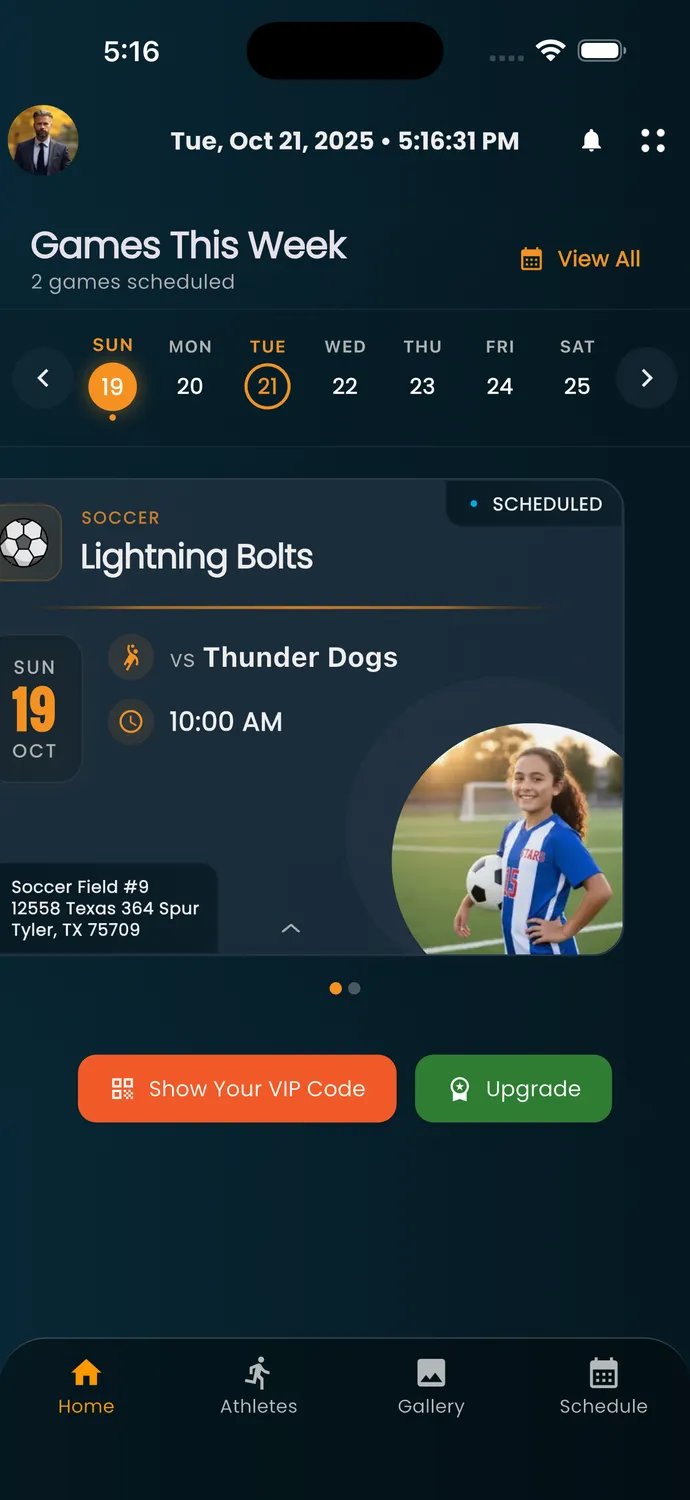
Your child's schedule
Track only your child's games and activities

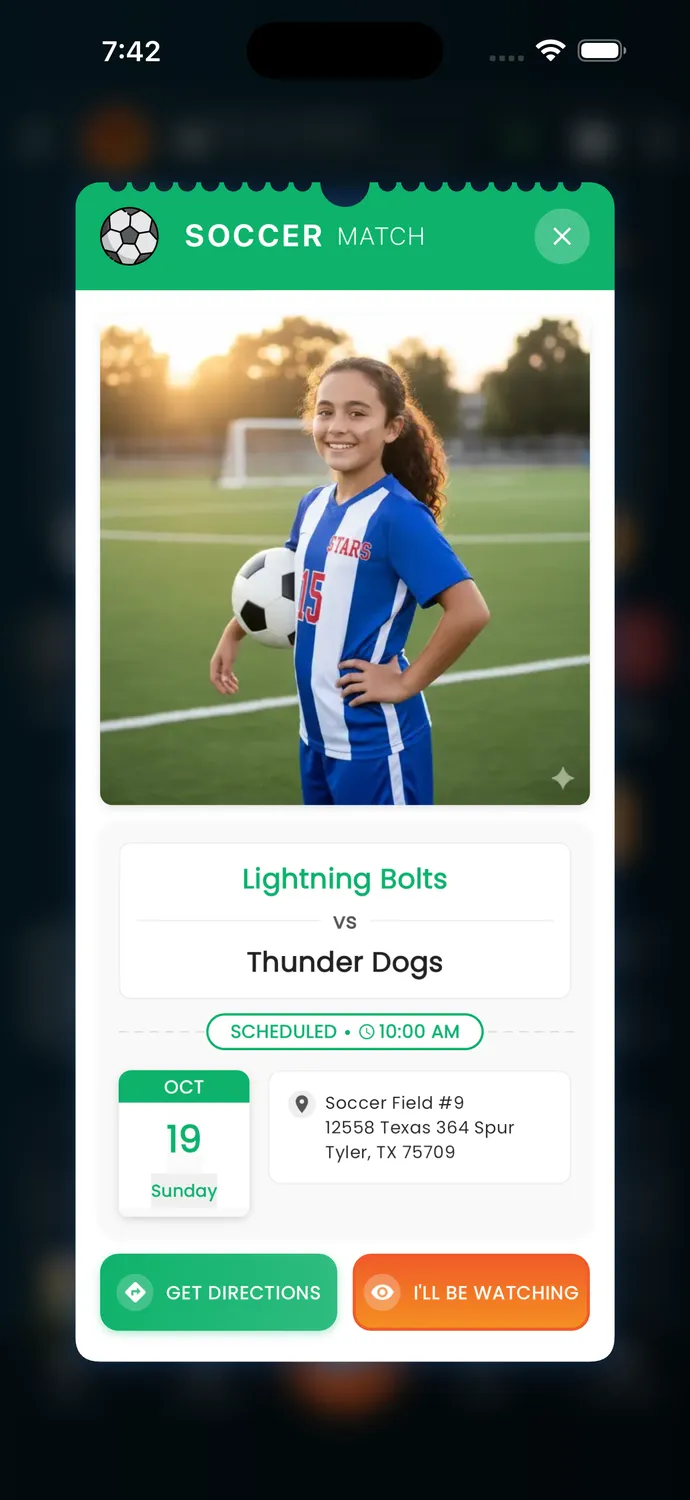
Live game updates
Follow your child's game in real time
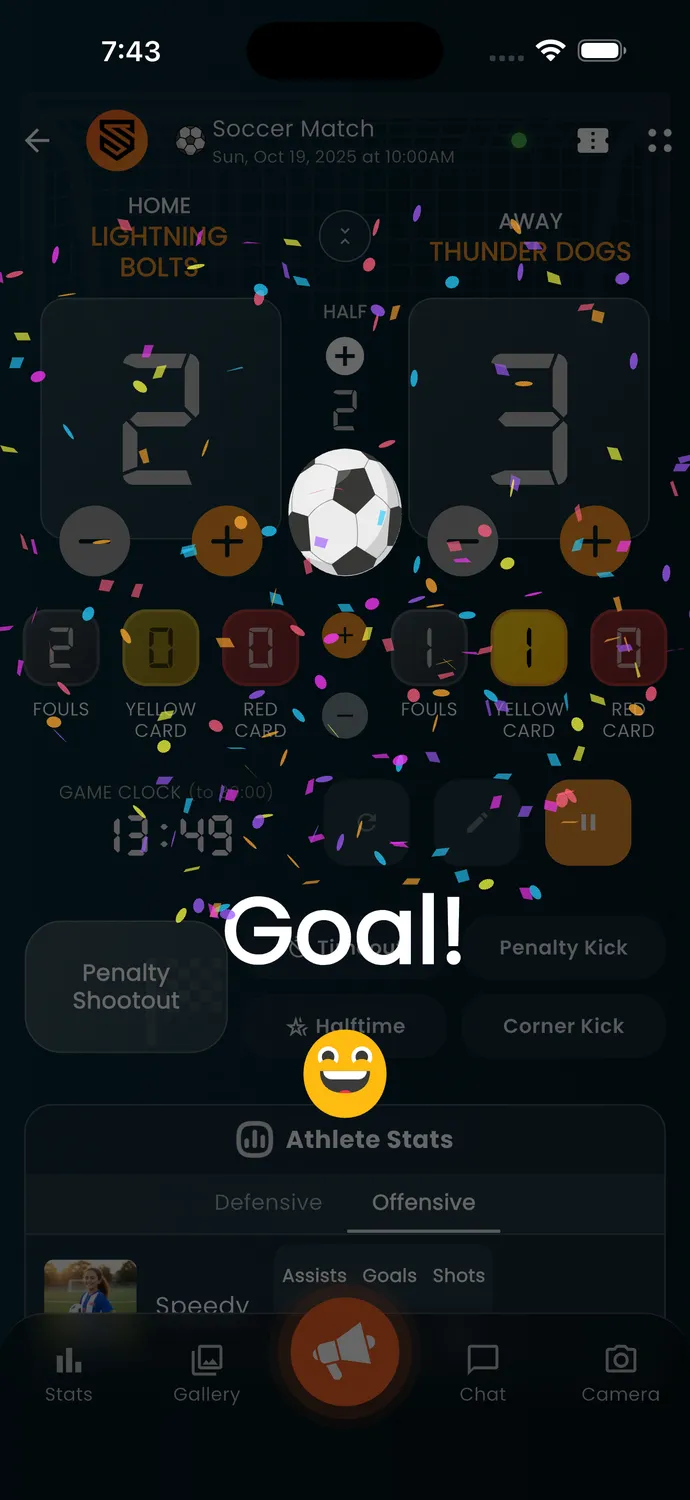
Goal Celebration
Share the excitement with your family
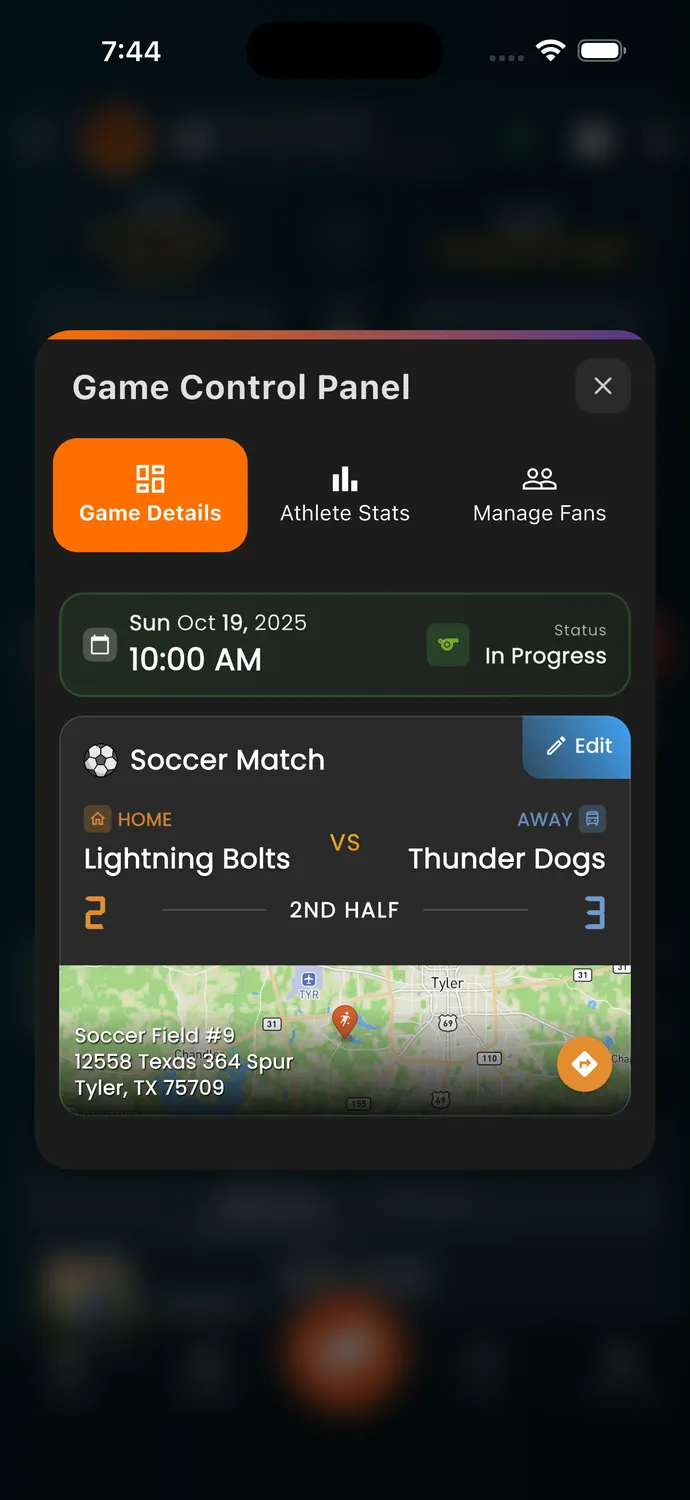
Game Details
Complete game info at your fingertips
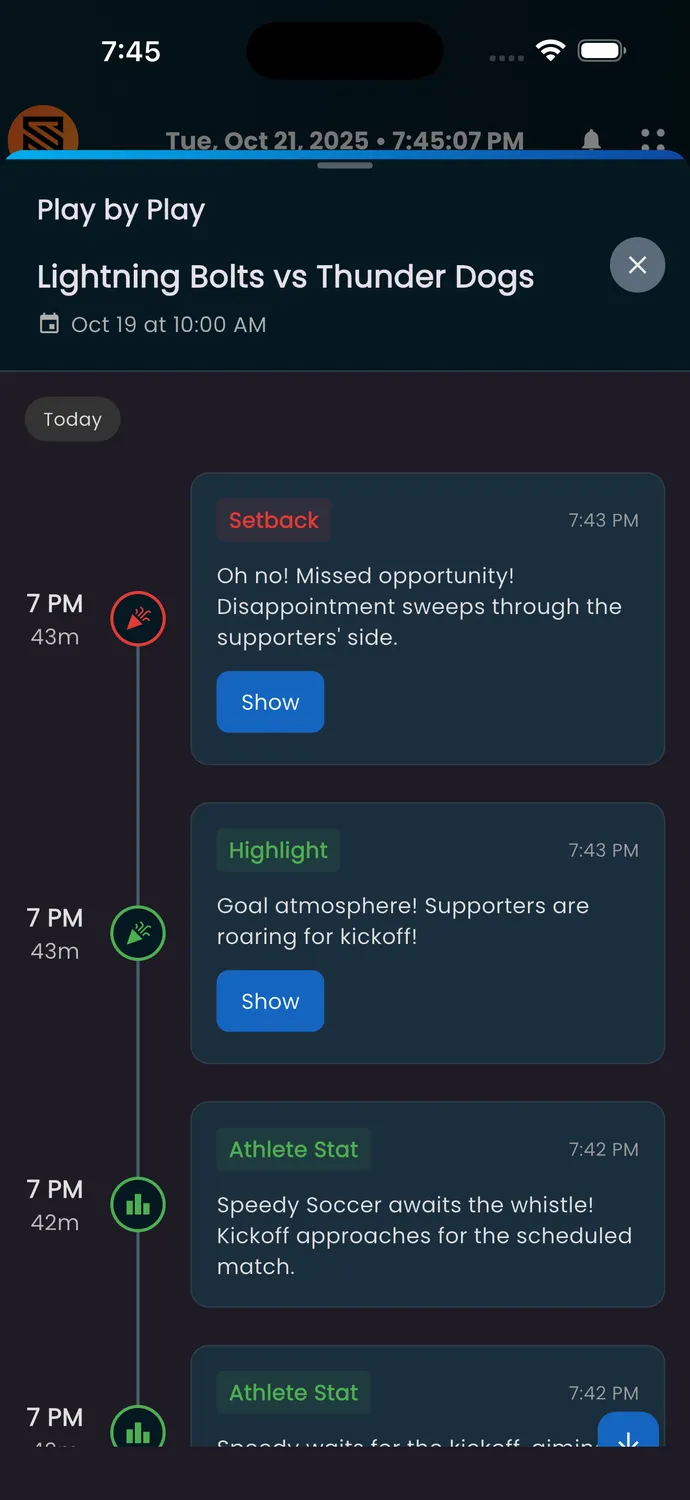
Play-by-Play Feed
AI-narrated game events for your family
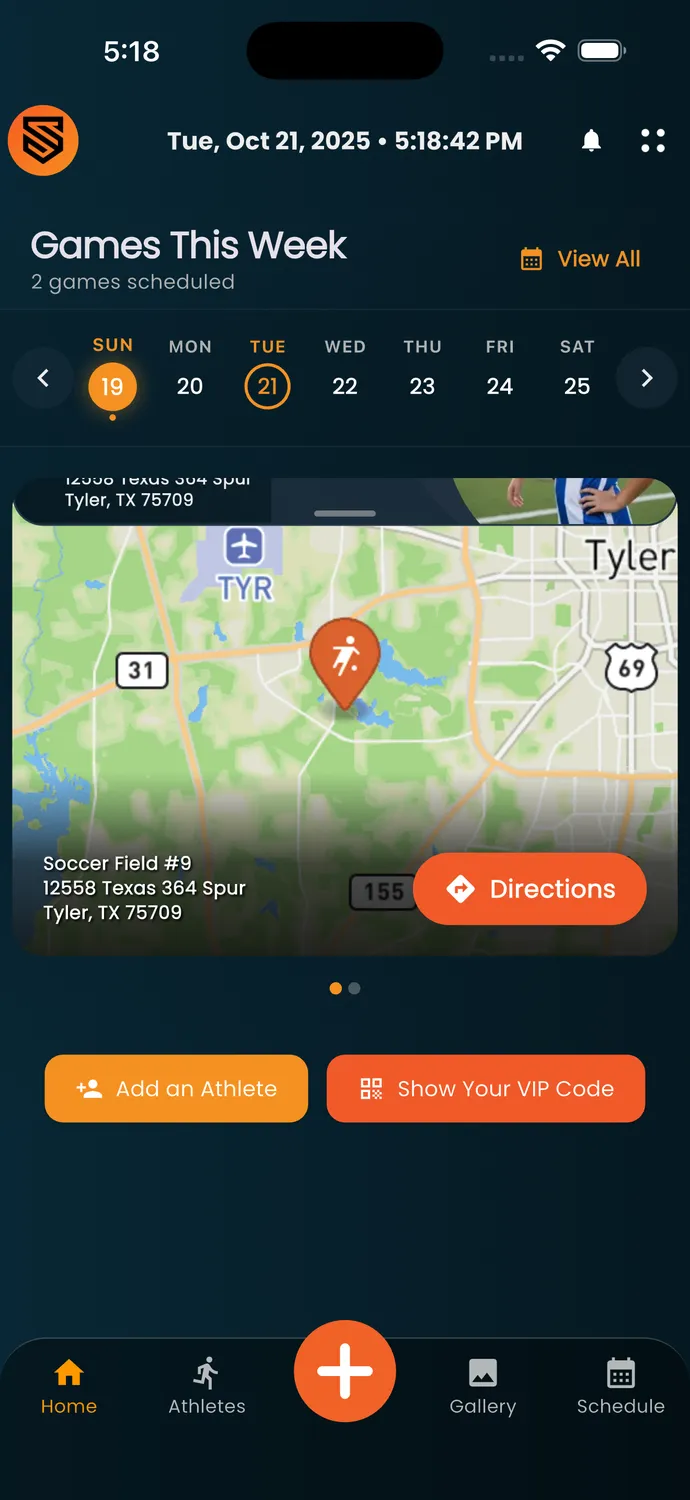
Directions & Maps
One-tap navigation to every game
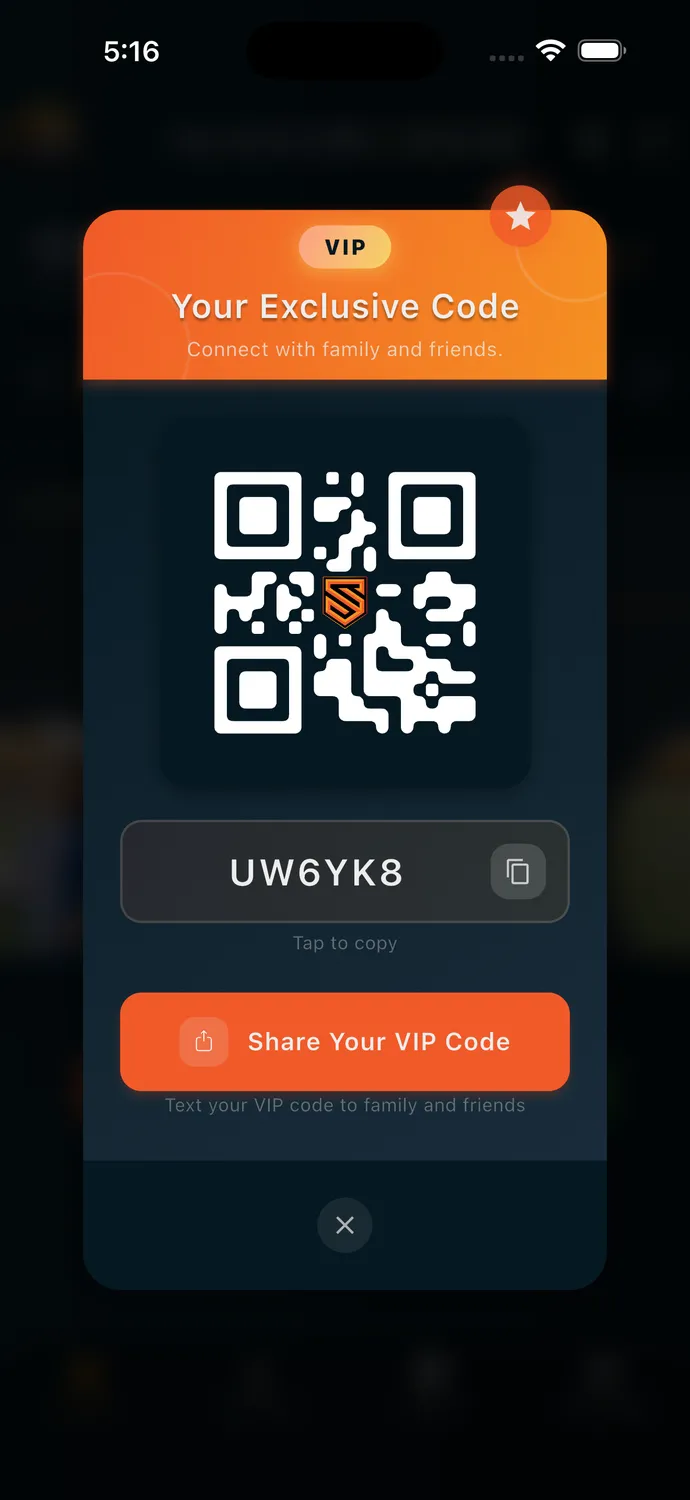
VIP Code Sharing
Easy family invitations with QR codes
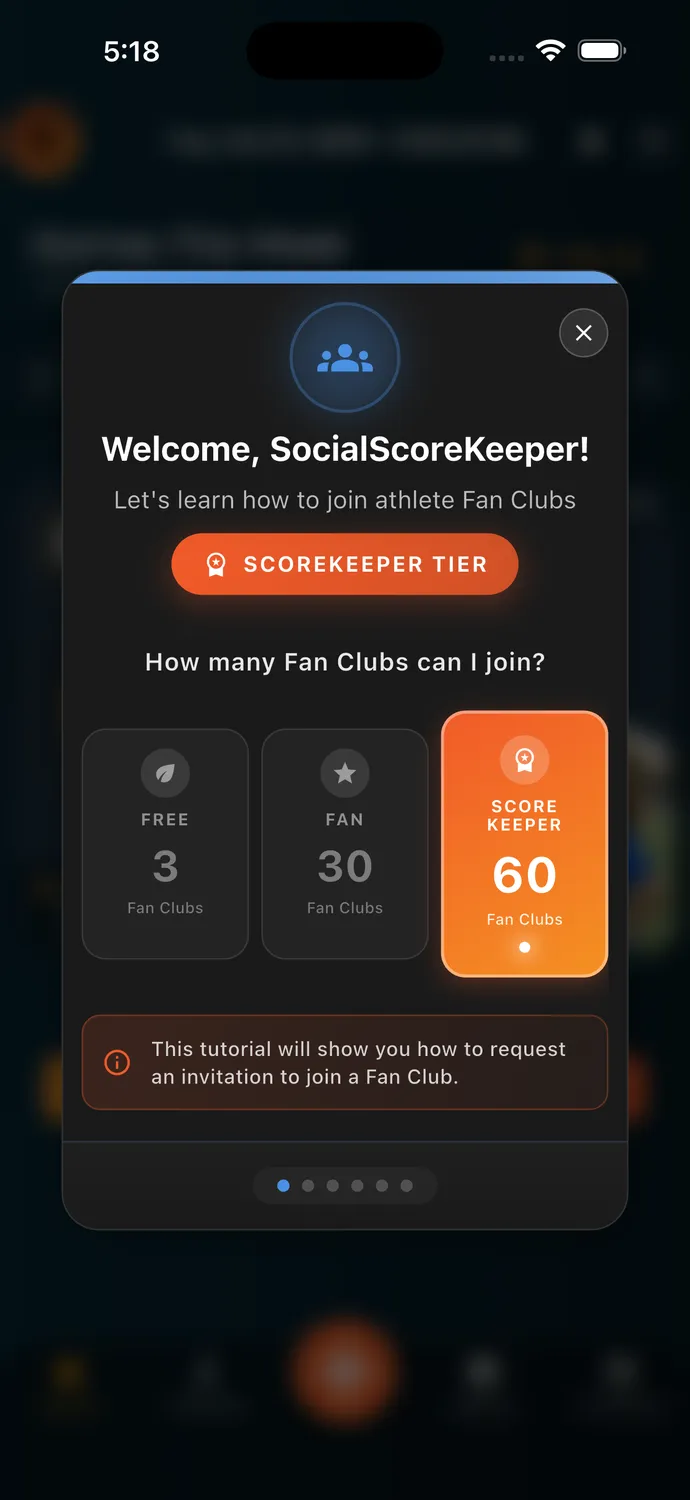
Fan Club Tiers
Flexible options for every family
Capture and share moments instantly
The fastest way to share game moments with your family. Capture photo after photo, video after video—without ever leaving the scoreboard.
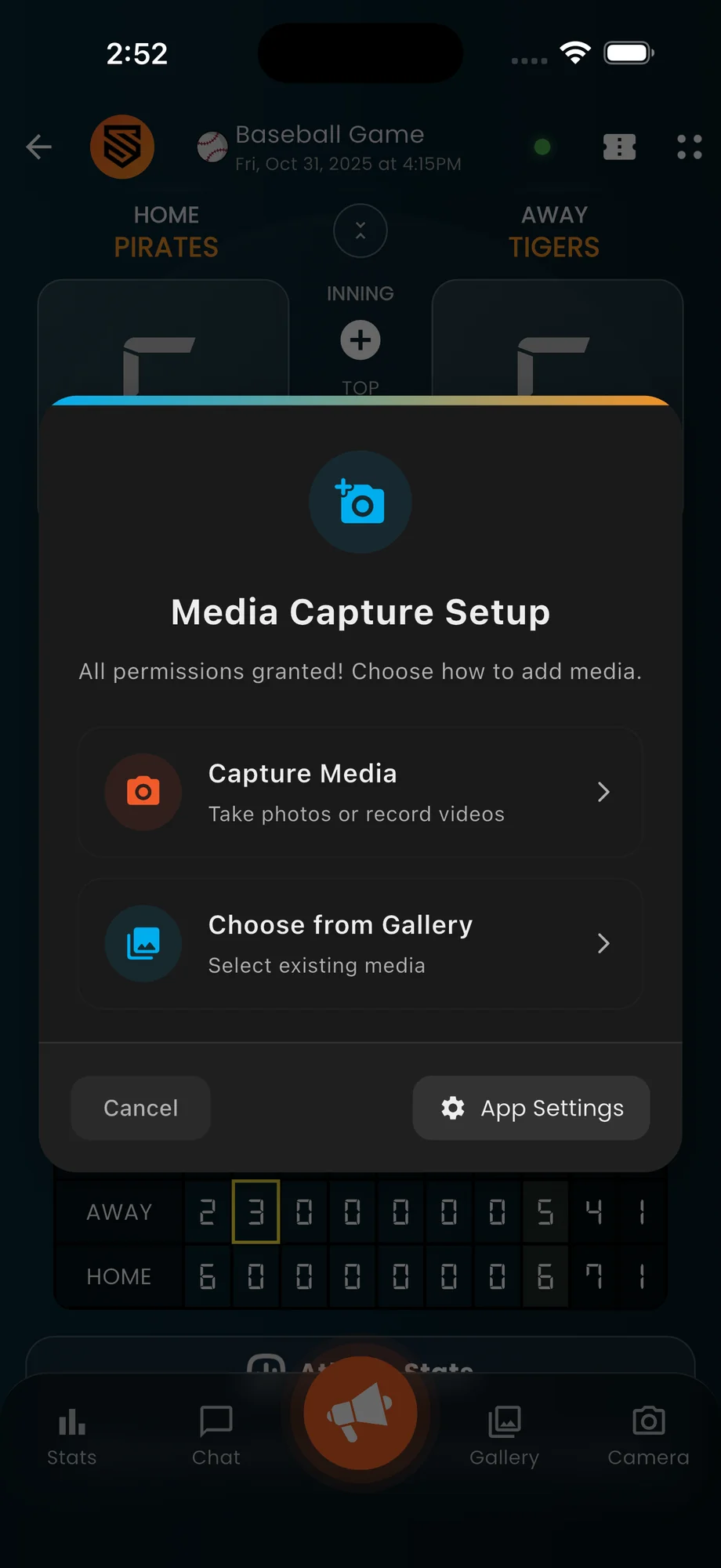
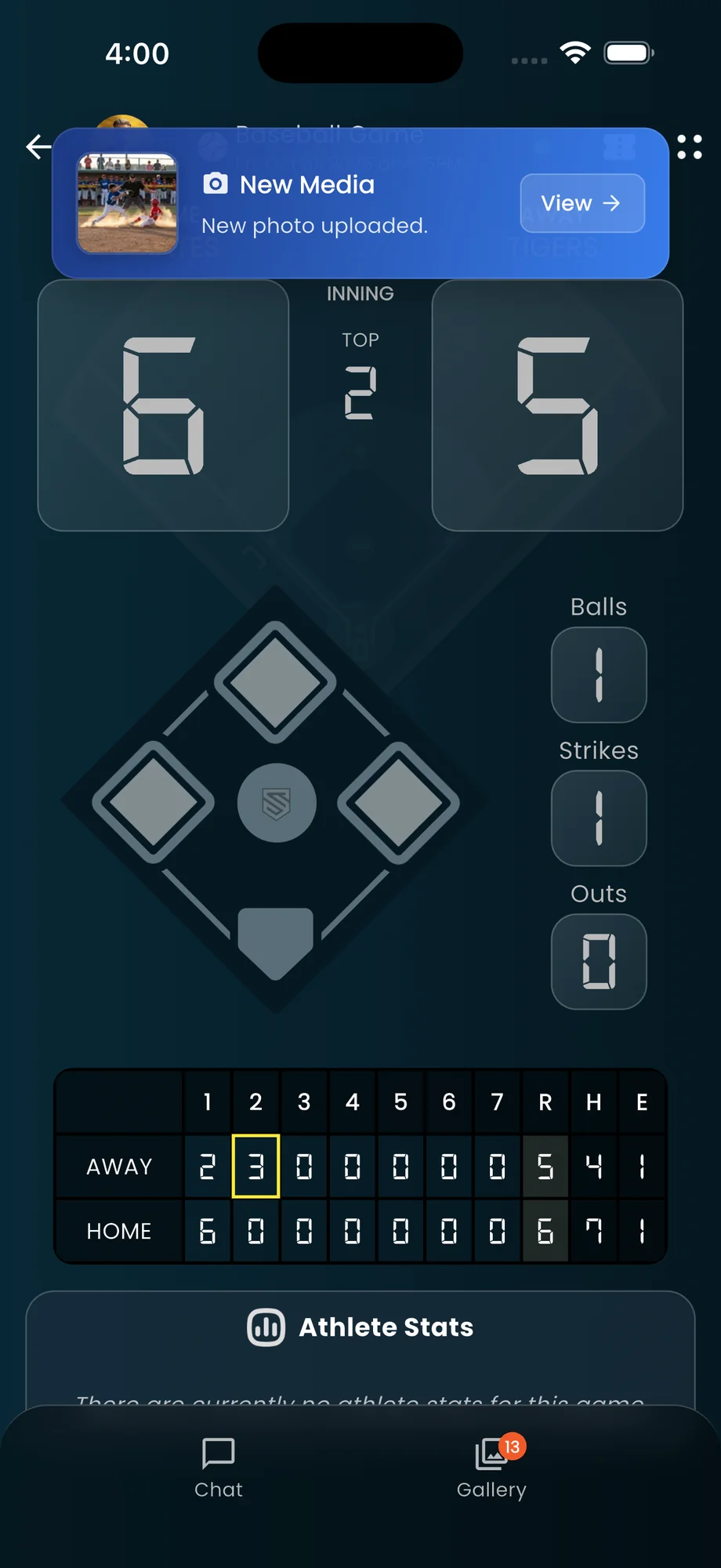
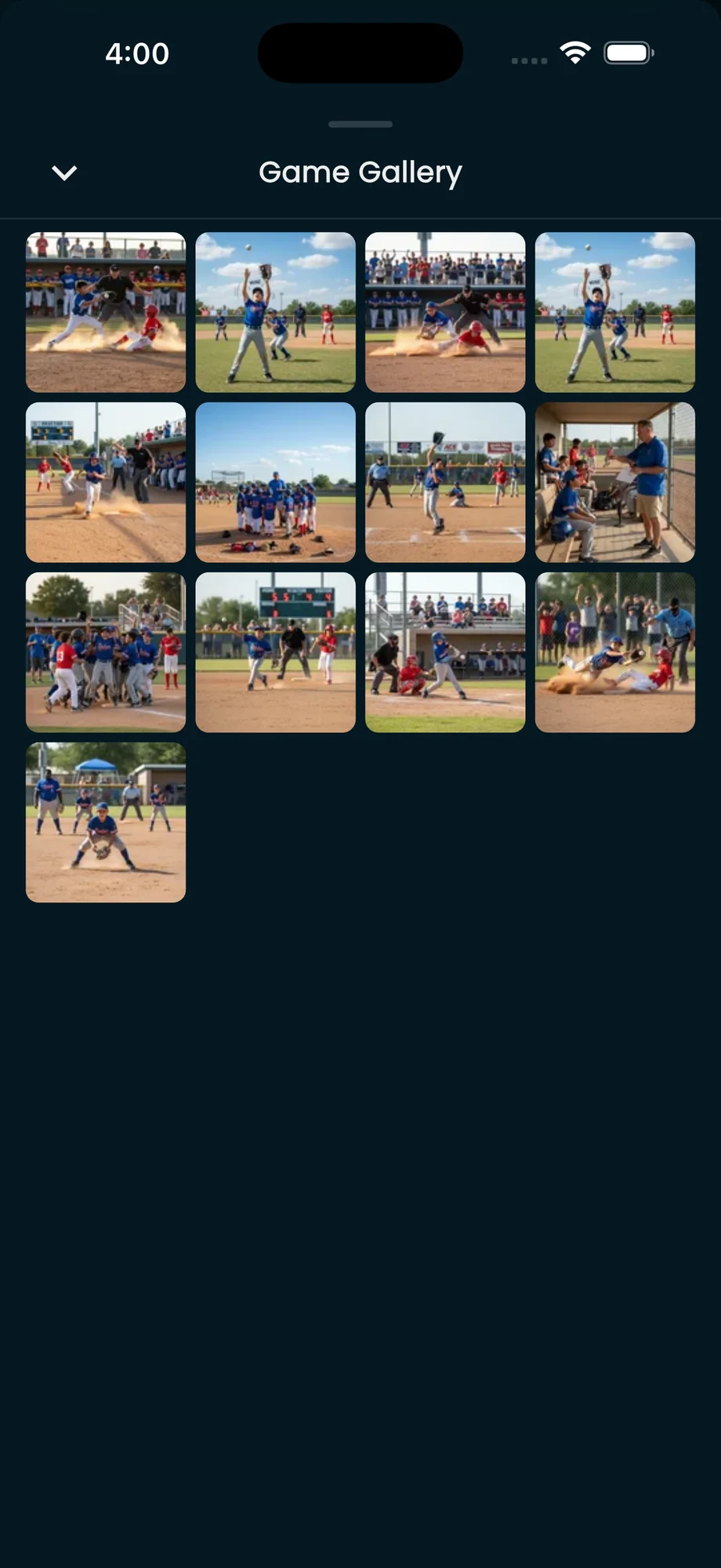
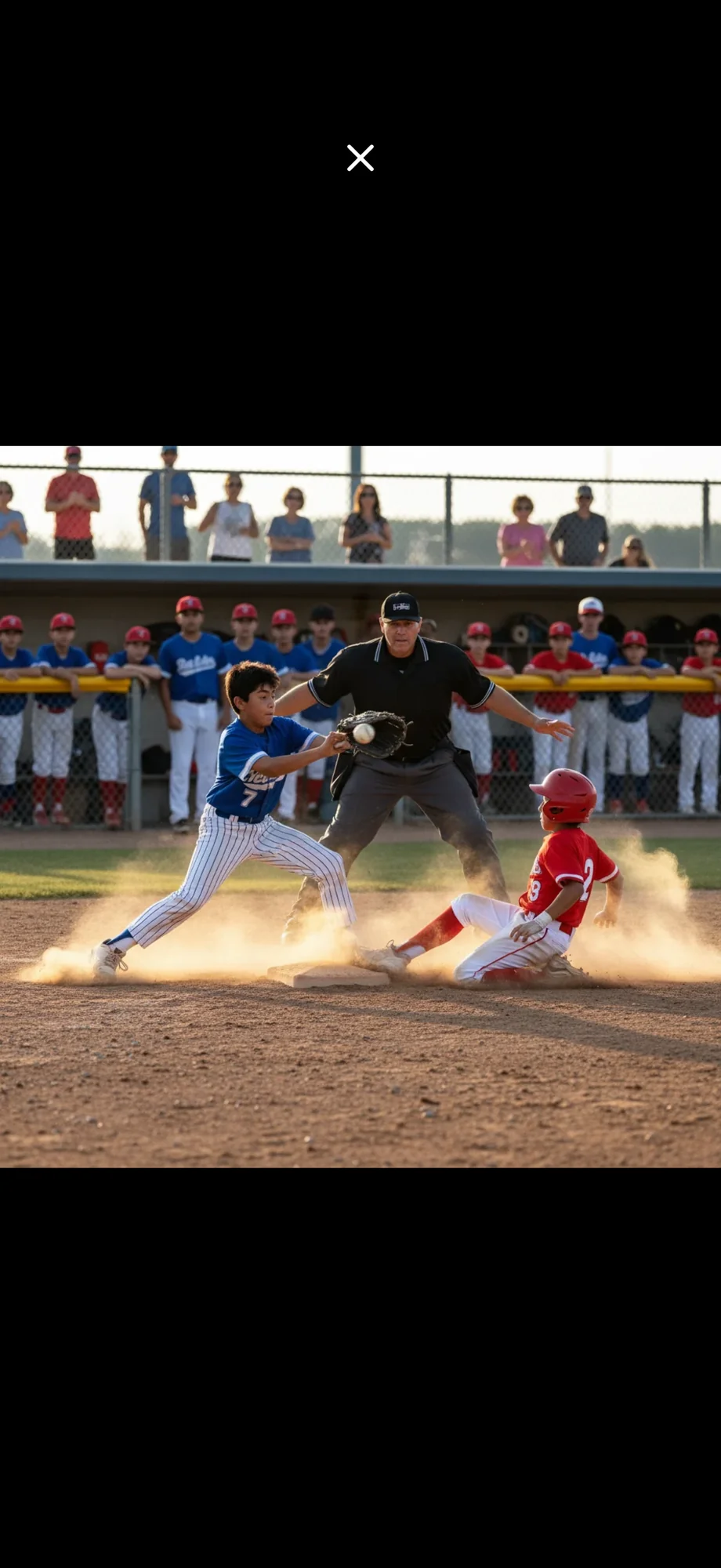
Never leave the scoreboard
Tap the camera icon from the live scoreboard and start capturing. The camera stays open—take photo after photo, video after video, without interruption.
Hardware-accelerated processing
Each photo and video is optimized on your device using hardware acceleration: 1080p video (H.264, or HEVC on supported devices) and WebP photos.
Fans see it almost instantly
While you're capturing the next moment, the previous one is already uploading. Your family sees highlights in near real-time—no waiting, no delays.
Saved to your camera roll first
Every photo and video is saved to your phone's camera roll first. If you have iCloud Photos or Google Photos active, your memories are automatically backed up there too.* Plus, all media is stored in SocialScoreKeeper for as long as you maintain your subscription.
Upload from your camera roll too
Want to use your native camera's advanced features? No problem. Upload any photo or video from your camera roll and get the same instant optimization and delivery to fans. Everything appears in the same game gallery.
Built for speed and quality
We compress photos and video on your device, so they reach your family fast without losing quality.
1080p Video
HEVC/H.264 compression
WebP Photos
Next-gen image format
On-Device
Hardware processing
Auto-Backup*
iCloud & Google Photos
* Auto-backup from camera roll requires iCloud Photos, Google Photos, or similar service to be active on your device. All media uploaded to SocialScoreKeeper is stored securely for as long as you maintain your account and subscription.
How fast is it?
From capture to family viewing in seconds
Capture
Tap, capture, repeat—without ever leaving the scoreboard
Optimize
Hardware-accelerated compression in real-time
Save Locally
Saved to camera roll with automatic cloud backup
Family Sees It
Real-time push notifications to your fan club
Beautifully simple
No complex settings, no frame rates to choose, no resolution options. Just point, tap, and capture. The app handles all the technical details automatically so you can focus on the game.
Double protection
Media saved to your camera roll can be backed up by iCloud or Google Photos if you have those services active.* Plus, all media uploaded to SocialScoreKeeper is securely stored with your account—protected for as long as you maintain your ScoreKeeper subscription.
From the sideline to your family in seconds
Share game highlights with your family while the play is still fresh.
* Camera roll backup requires iCloud Photos, Google Photos, or similar service to be configured on your device. Media for your own athletes is stored in SocialScoreKeeper as long as you maintain a ScoreKeeper subscription. Media you contribute to other athletes' games (as a Fan Club Member/Manager) is protected as long as that athlete's family maintains their subscription.
Stream it live. Capture it forever.
Set up a second device to stream the game for family who can't be there. Your phone handles everything else—scoring, photos, videos—all saved locally, no internet required.
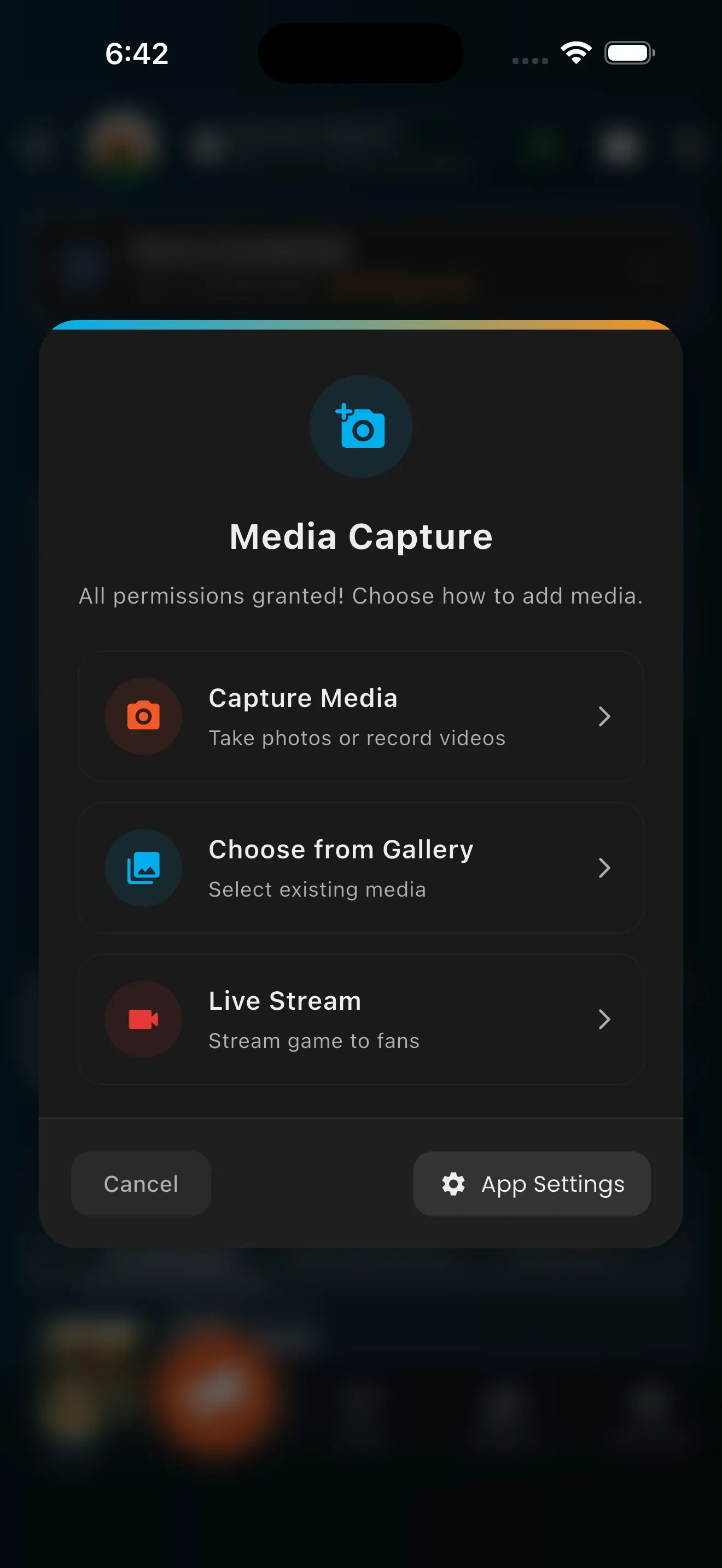
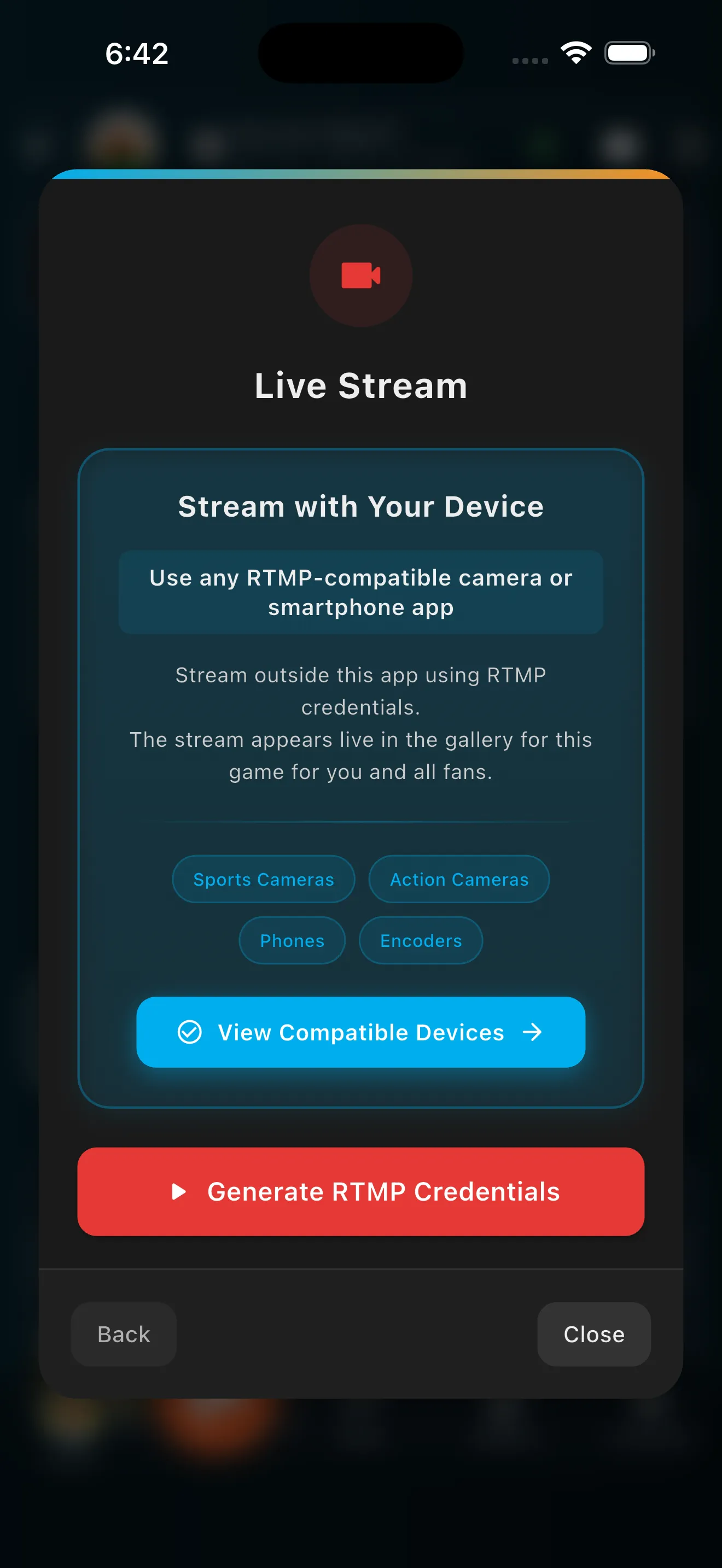
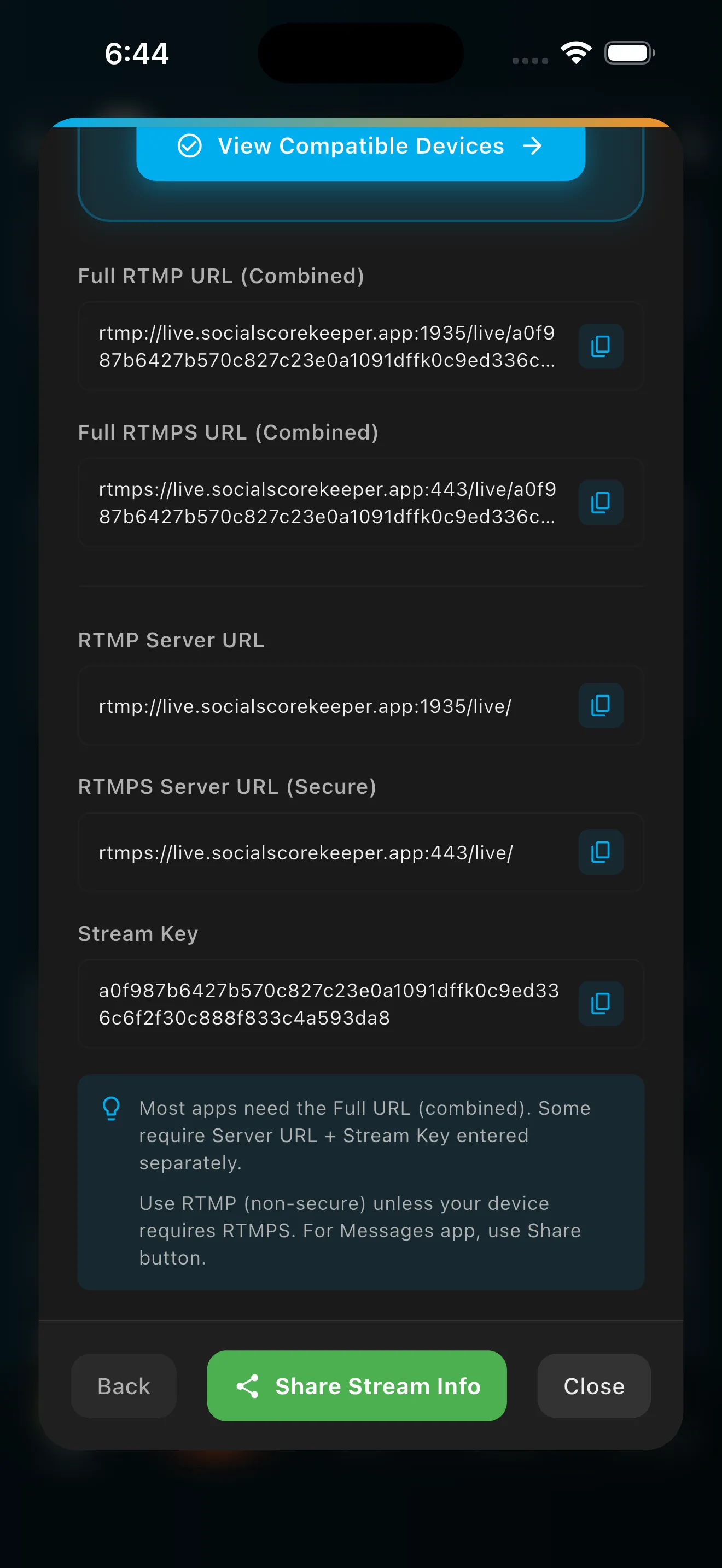
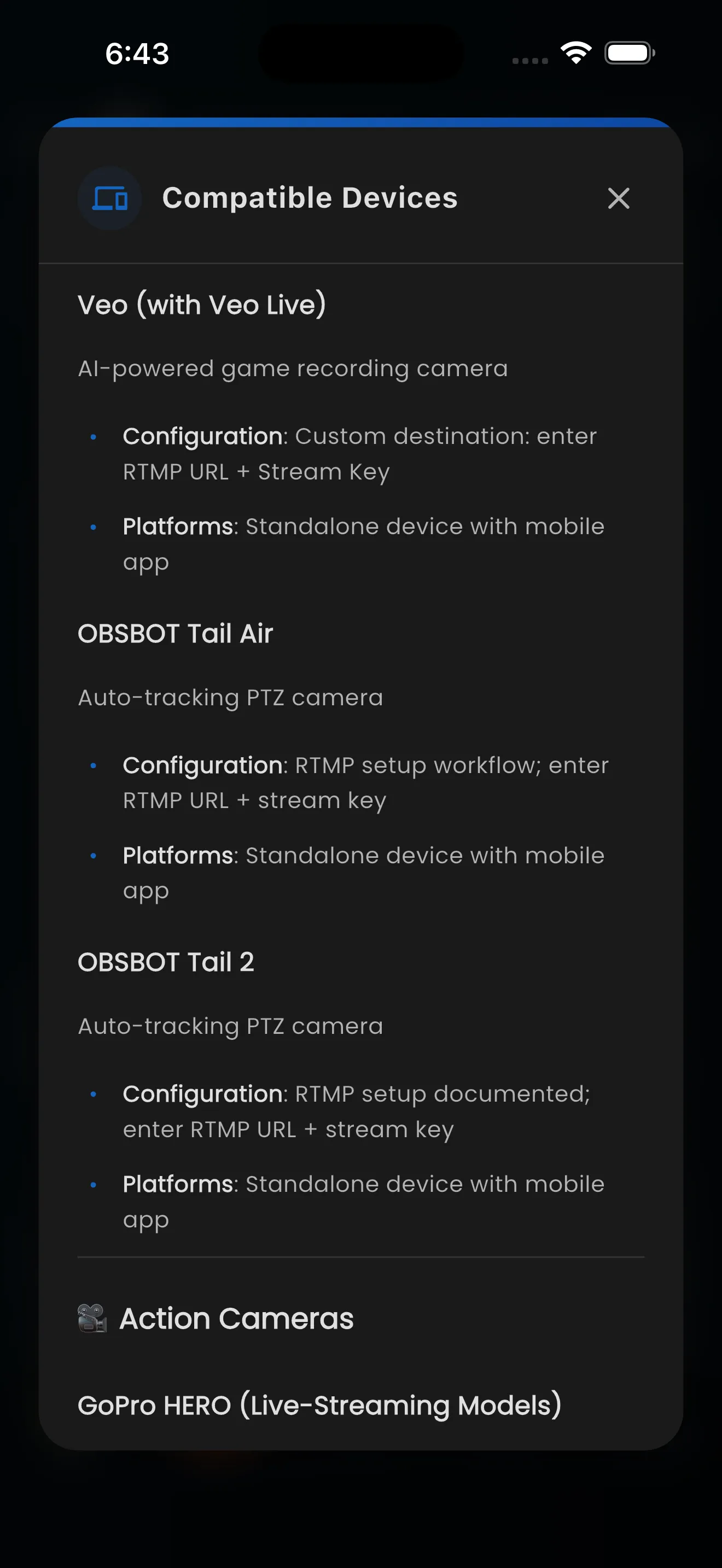
Works with any RTMP-compatible device
Use any RTMP-compatible app on a secondary smartphone, sports cameras like XBOTGO Chameleon or GoPro Hero 13, or professional encoders.
Secondary device = stay present
Stream from a secondary device (another smartphone on tripod, sports camera, action camera, etc.) while your main phone manages the scoreboard, chats with fans, and keeps you watching your child.
Game-specific credentials
Each game generates its own RTMP credentials. The stream is tied to that specific game — just like photos and videos from the in-app camera.
Fans watch in-app
Fans get push notifications and watch live in SocialScoreKeeper—no external links, no leaving the app. Private to your Fan Club only.
Automatic cloud backup
Recordings save to your child's game gallery 2-3 minutes after stream ends. Organized by game, stored forever, share-ready.
Built for family connection
Reliable streaming for private family circles
RTMP Protocol
Universal compatibility
Private Viewing
Fan Club only
Auto Archive
Cloud backup in 2-3 min
Multi-Device
Every family phone can watch
How fast is it?
From credentials to live in about a minute
Generate Credentials
Tap Live Stream in game scoreboard
Enter in App/Device
Copy to your RTMP streaming app
Start Streaming
Set device on tripod, tap record
Fans Watch Live
Push notifications sent automatically
The stream is a bonus. The memories are the point.
By design, the live stream runs on a separate device from your primary phone. If the stream drops? The audience misses a moment. But you didn't. Every score, every photo, every highlight is safe on your device and syncs automatically when connection returns.
Private circle streaming
Streams are visible only to your Fan Club — the family and friends you invited. Not public like YouTube or Facebook. Not team-wide broadcasting. Just your circle watching your child.
Give distant family a front-row seat
Stream your child's game to your private Fan Club using any RTMP-compatible device you already own.
Learn How to StreamComplete step-by-step guide • No technical experience needed
Live streaming works best with a secondary device (another smartphone with any free RTMP app, sports camera like GoPro Hero 13 or XBOTGO Chameleon, etc.). If you only have one phone, use the in-app camera for photos and videos that upload instantly to your Fan Club.
Why families choose SocialScoreKeeper
A team app shows the whole roster to the whole team. We show your child only to the people you invite.
SocialScoreKeeper
The Family Choice
Focus
Family-First
Your child only
Control
Parent-Controlled
You decide who sees what
Privacy
Invite-Only
Just your family circle
Business Model
Subscription
No ads, no data selling
Sharing
Automatic
Photos, videos & updates instant
Team Apps
Team Management Platforms
Focus
Team-First
Whole roster exposed
Control
Coach-Controlled
Team-wide access
Privacy
Team-Wide
All parents see everything
Business Model
Mixed
Ads or team subscriptions
Sharing
Manual
You manage everything
Social Media
Public Social Platforms
Focus
Public-First
Anyone can see
Control
Algorithm-Controlled
You're the product
Privacy
Public
Privacy is an illusion
Business Model
Advertising
Your data is the product
Sharing
Manual
Hope the right people see it
The difference? Automatic workflow built for families.
No team rosters. No public posts. Just your family circle—automatically connected.
See detailed comparisonReady to connect your family?
- 1. Download the app (iOS & Android)
- 2. Create your free account
- 3. Start your 7-day ScoreKeeper trial
- 4. Add your children as athletes
- 5. Invite grandparents and family
- 6. Start showing them you're watching
7-day free trial • No ads • No data harvesting



Because the only stat that really matters is how supported they are.